Lumbini Tech Month 2026
We are thrilled to bring you Lumbini Tech Month celebration of innovation, coding, and creativity. Whether you want to join a coding battle, attend a seminar, or participate in a workshop, securing your spot is the first step.
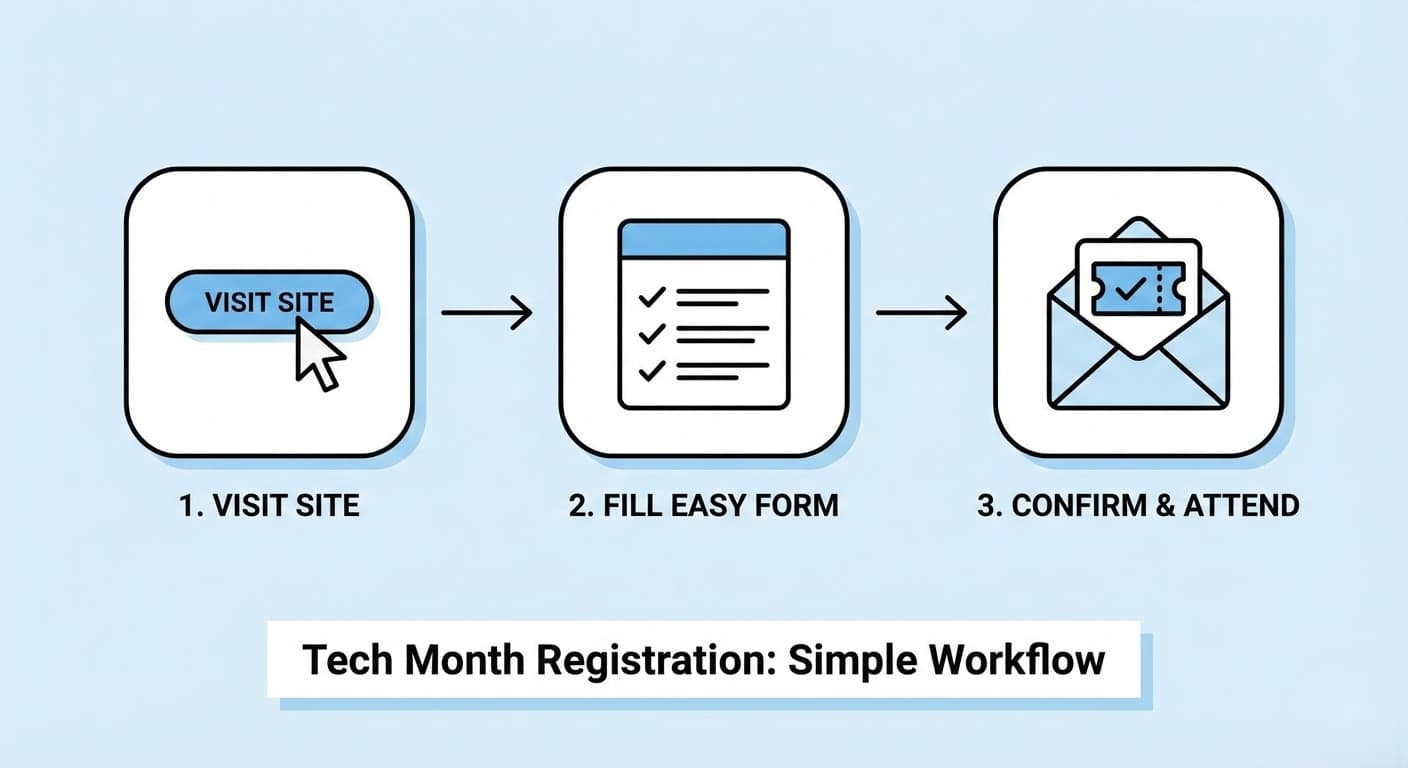
To make sure you don’t miss out, we have designed a clean and easy registration workflow. Follow this quick guide to register in under 2 minutes.
Find Your Track:
Once you are on the homepage, you have two easy options to find your event:
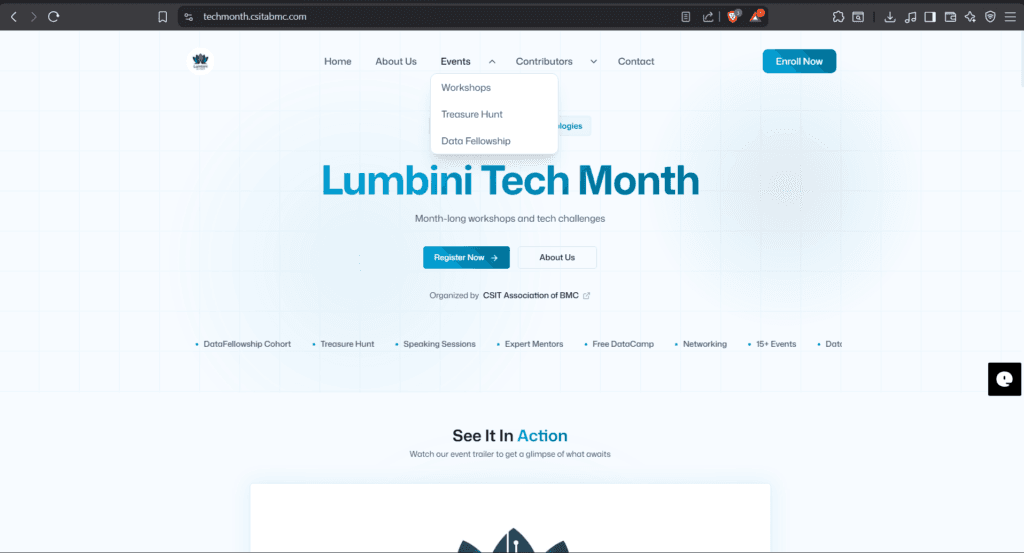
- Browse the Menu: Hover over the “Events” tab in the top navigation bar. You will see a dropdown list with options like Workshops, Treasure Hunt, or Data Fellowship. Select the one that interests you. For now its ‘Workshops’.
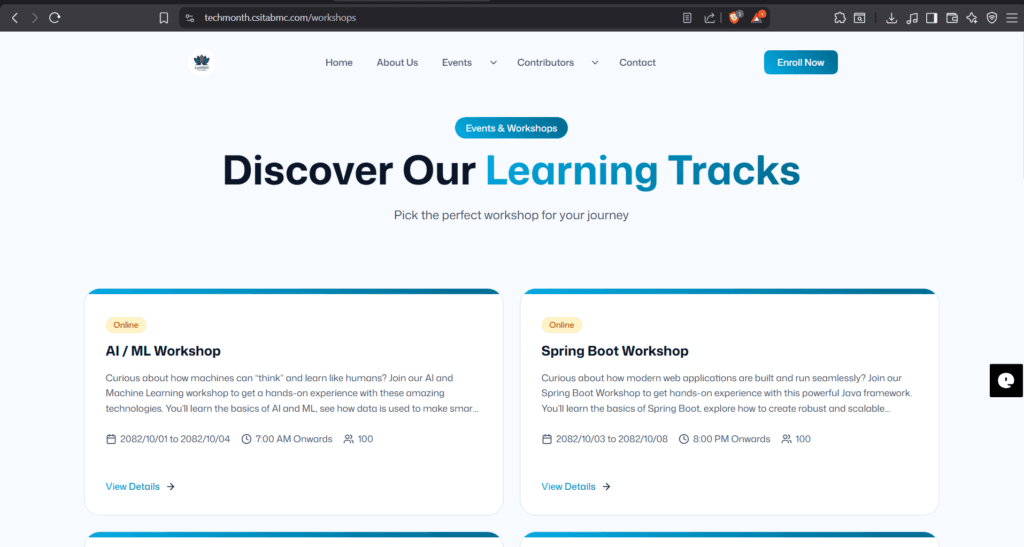
- Explore Learning Tracks: When you choose ‘Workshops’ scroll down to the “Discover Our Learning Tracks” section to see the specific workshops available for your journey.
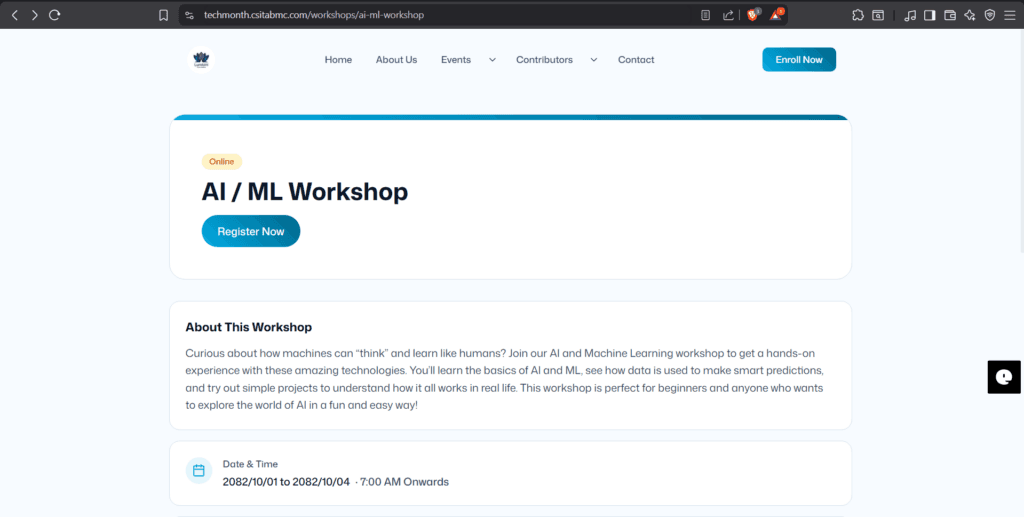
- View Details: Click the ‘View Details‘ button below the short description of the specific workshop for you. After clicking the button it will redirect you to a page where there is blue ‘Register Now’ button.
Click “Register Now”:
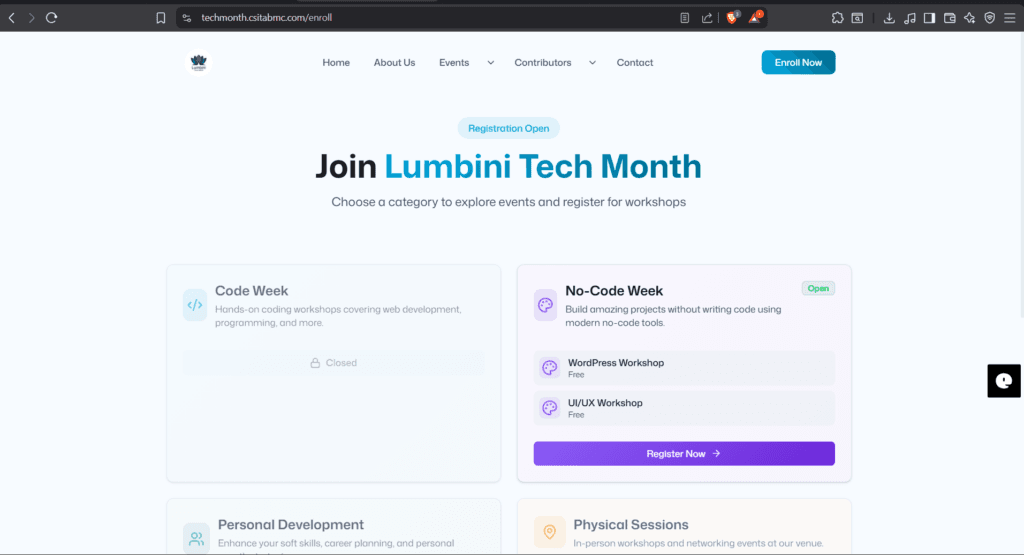
Ready to join? After you find the blue “Register Now” button located at exactly below the workshop name. It will direct you to ‘Enroll Now’ section , you’ll see purple color “Register Now” only on the category registrations opened for.
Clicking this button will take you directly to the registration area.
Fill in your details:
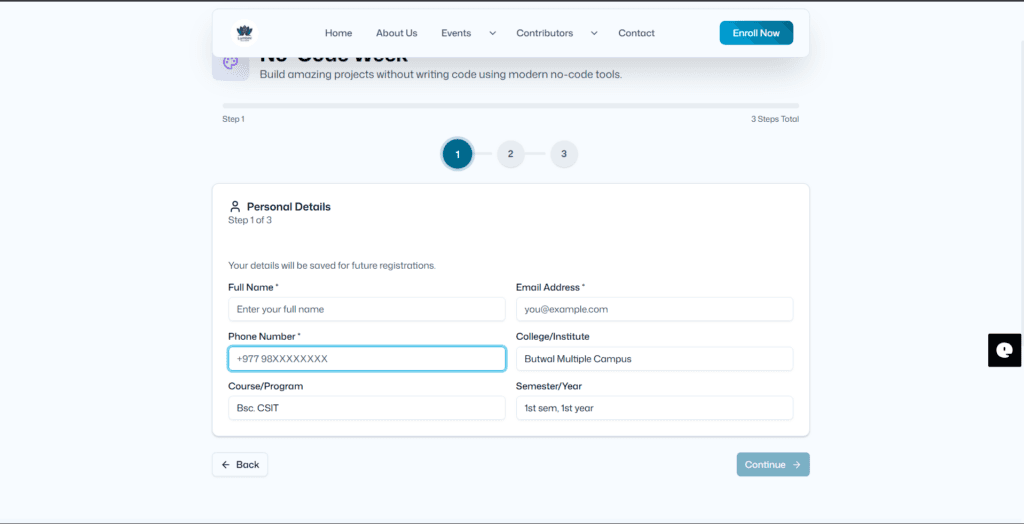
We’ve kept the form short to save you time. You will typically need to enter:
- Full Name:
- Email Address:(Make sure this is correct!)
- Phone Number:
- College/Institute:
- Course/Program:
- Semester/Year:
Double-check your information to ensure there are no typos, especially in your email address. After that click continue.
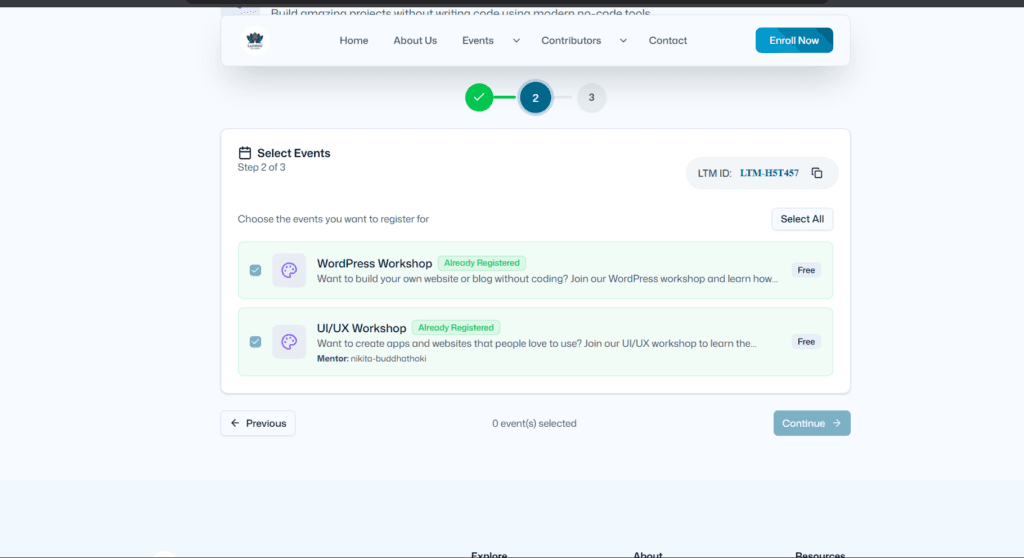
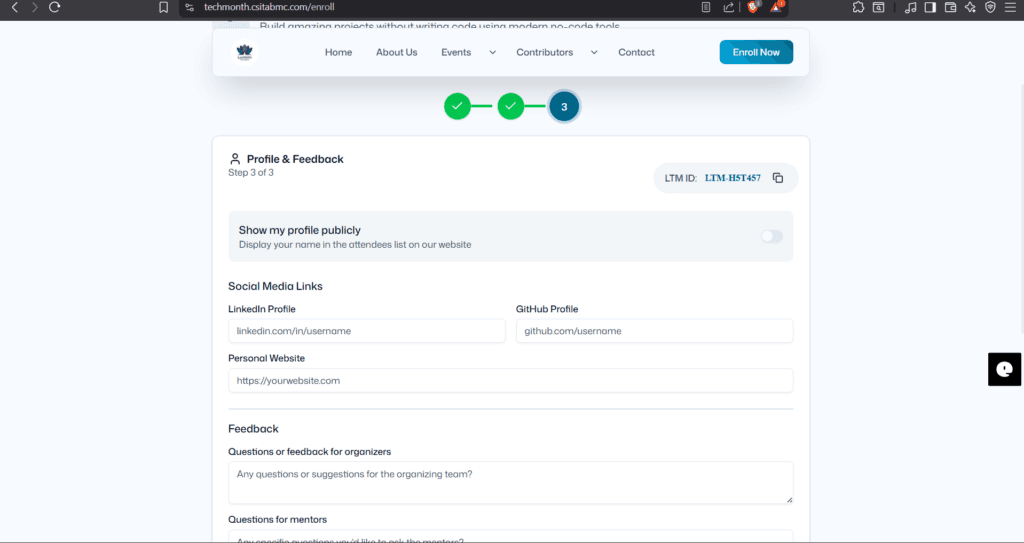
There are some other details you need to fill check that too very carefully.
Submit & Confirm:
Hit the “Complete Registration” button at the bottom of the form. You should see a “Your registration is completed” message pop up on your screen confirming that your application has been sent.
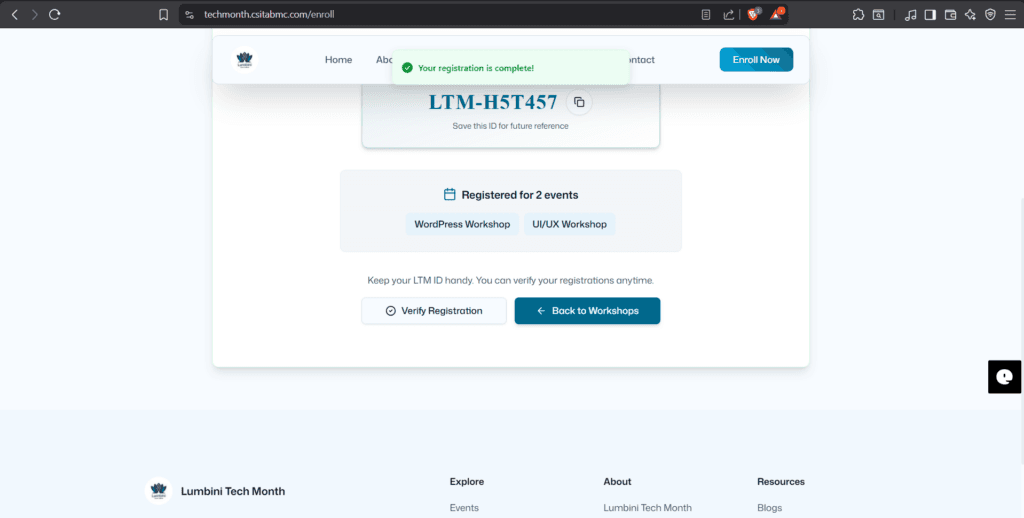
Check Your Mail:
This is the most important step! Go to your email inbox. You should receive an automated confirmation from us shortly. Again, you’ll get a mail before the event begins, which includes a Discord link ,join the Discord server through the link and the Discord server will be used not only to share meeting links but also to share resources provided by other mentors. If you encounter any problem, you can contact us on our social media.
- Don’t see it? Check your Spam or Junk folder just in case.
After you find the mail there will be a discord link it will redirect you to Discord Server chat section there you’ll find event details if that doesn’t work join the CSIT Discord. If you are already joined there is a text channel named “Take Your Role” where you can drop your registered name, email and the event you registered for.
© 2026 Lumbini Tech Month | Organized by CSIT Association of BMC